Capabilities
Key features
Product tour
Video walkthrough
Watch: Complete walkthrough of SmartTime setup, timezone detection, historical sync, and the Best Time to Call feature.
Implementation
Setup guide
Install and Connect the App
Click "Install App Free" on the SmartTime Marketplace page. Select your HubSpot portal and approve the permission scopes (Contacts, Companies, Deals, Tickets). The app will be connected instantly — no API keys or developer setup required.
Activate Your Subscription
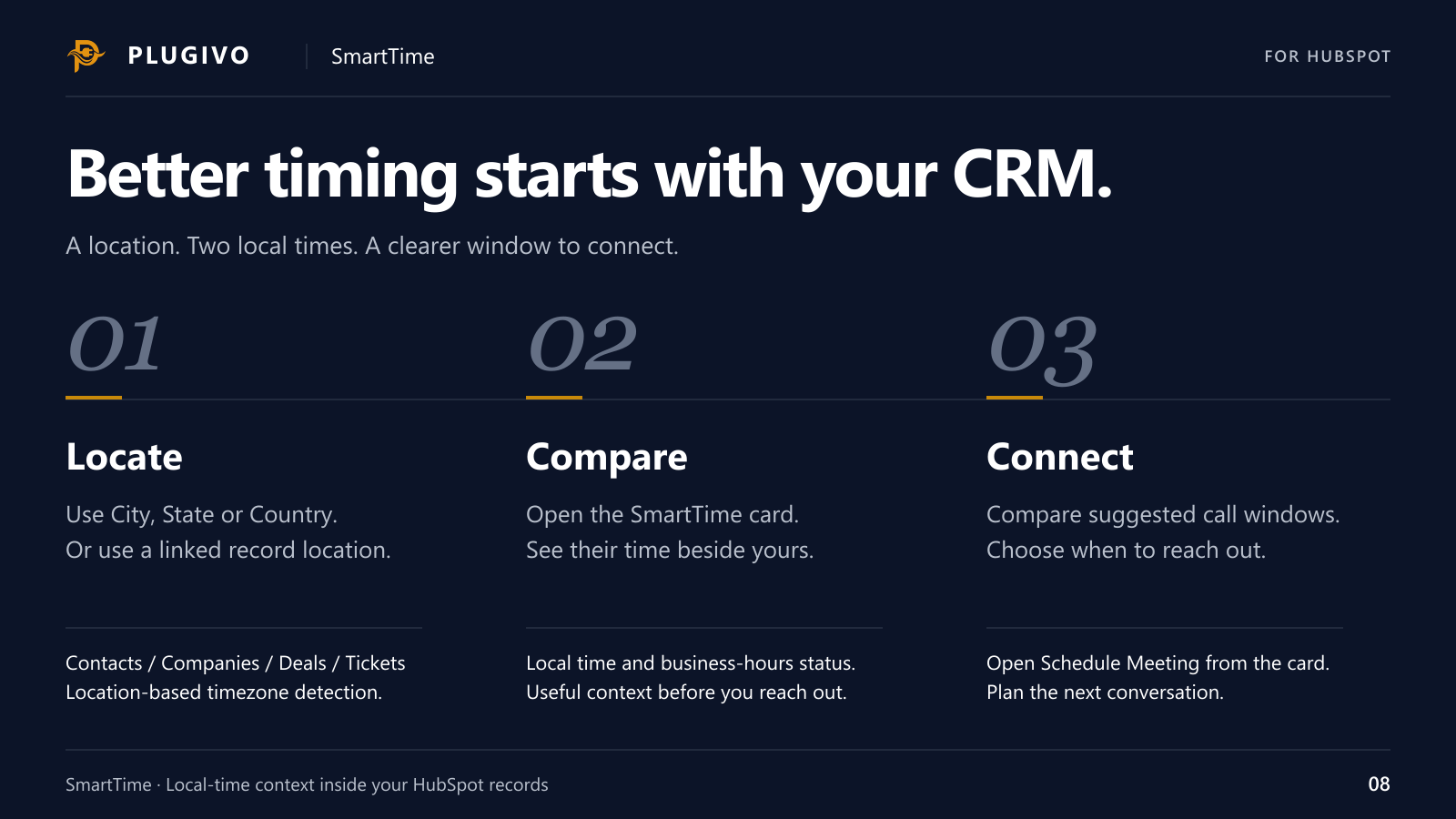
After authorization you will be redirected to the Plugivo portal. Select a plan — start with a 14-Day Free Trial or choose Lifetime Access. The app is fully functional once the plan is activated.
Add SmartTime Card to CRM Record Views
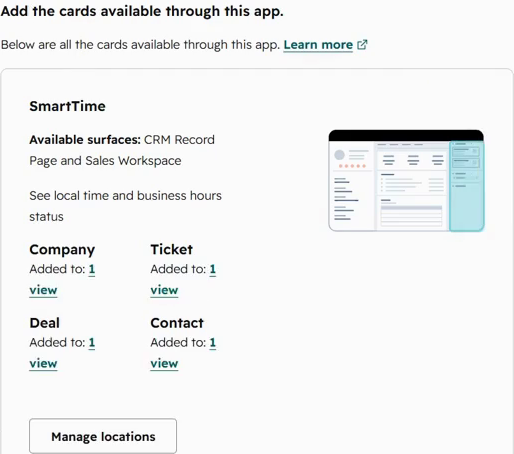
Open HubSpot Settings, Connected Apps, SmartTime, then Settings → App cards. Use Manage locations to add SmartTime to the Contact, Company, Deal, and Ticket record views you need, then save. Open a record and find the SmartTime card in the right sidebar.
Set Location on Your Records
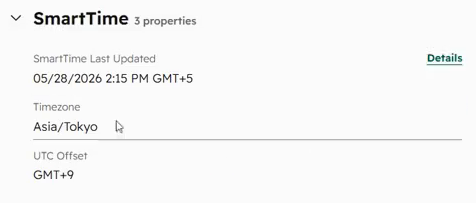
SmartTime detects timezones from the City, State, or Country fields. Simply fill in any of these fields on a Contact or Company. SmartTime's webhook listens to these changes in real-time, calculates the timezone, and updates the widget instantly. For Deals and Tickets, SmartTime automatically inherits the timezone from the associated Contact or Company.
Run Historical Timezone Sync (Optional)
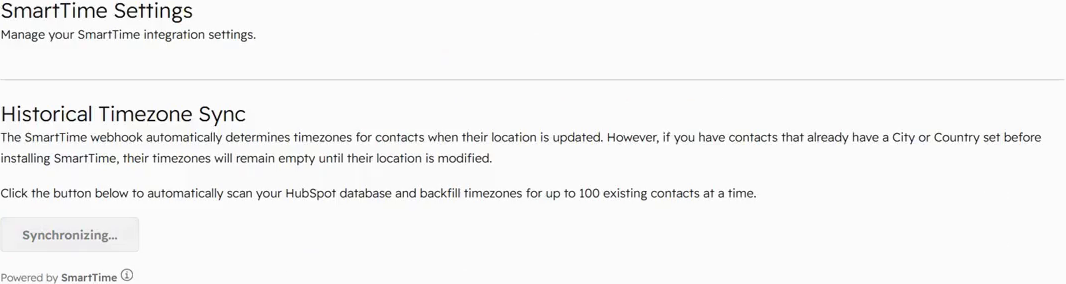
If contacts already had City or Country values before installing SmartTime, open HubSpot Settings, Connected Apps, SmartTime, then Settings. Click "Sync Historical Timezones" to backfill timezone data for up to 100 contacts per batch. Repeat until all contacts are synced.
Use Best Time to Call
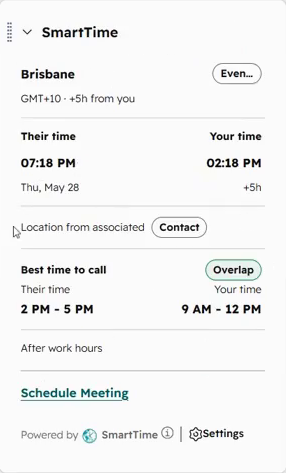
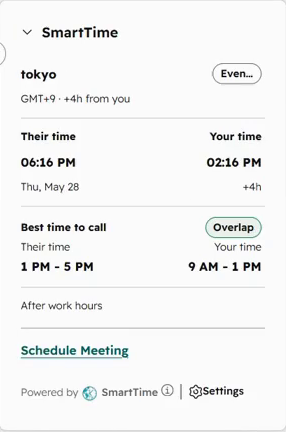
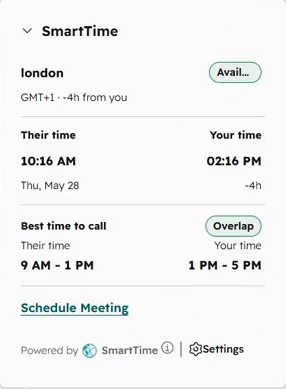
Open any record with a timezone set. The SmartTime widget displays the contact's local time, your local time, and the best overlapping window when both of you are in business hours. Use the "Schedule Meeting" link to book calls at the optimal time.
Reference
Frequently asked questions
Does SmartTime handle Daylight Saving Time?
What happens if I change a contact's city or country?
Which HubSpot objects are supported?
What if my contact has no city or country set?
How does Historical Sync work for existing contacts?
Does SmartTime store my CRM data?
Is there a free trial?
What does the "Best Time to Call" feature show?
Ready to put the app to work?
Install SmartTime today and see your contacts' local time instantly. No credit card required for trial.
Install SmartTime